Reports
The Reports menu provides users with a detailed view of work time, project-related activities, and logged efforts, helping track progress and optimize resource allocation. It includes various filtering options, allowing users to generate and export customized reports based on employees, projects, and time periods. This section helps users track, analyze, and report work-related data clearly, supporting financial oversight and ensuring compliance with company policies.
Key Features
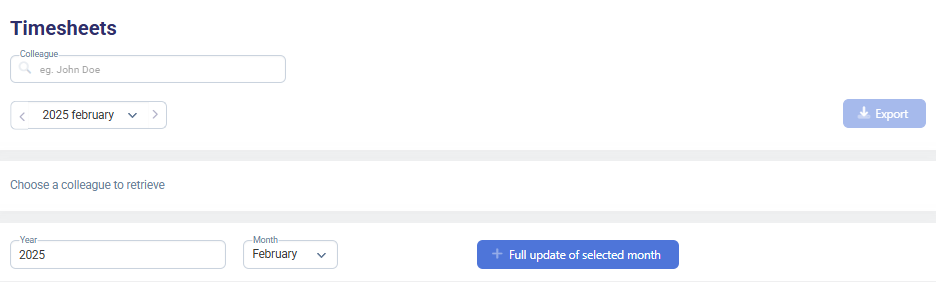
- Timesheets Reports:
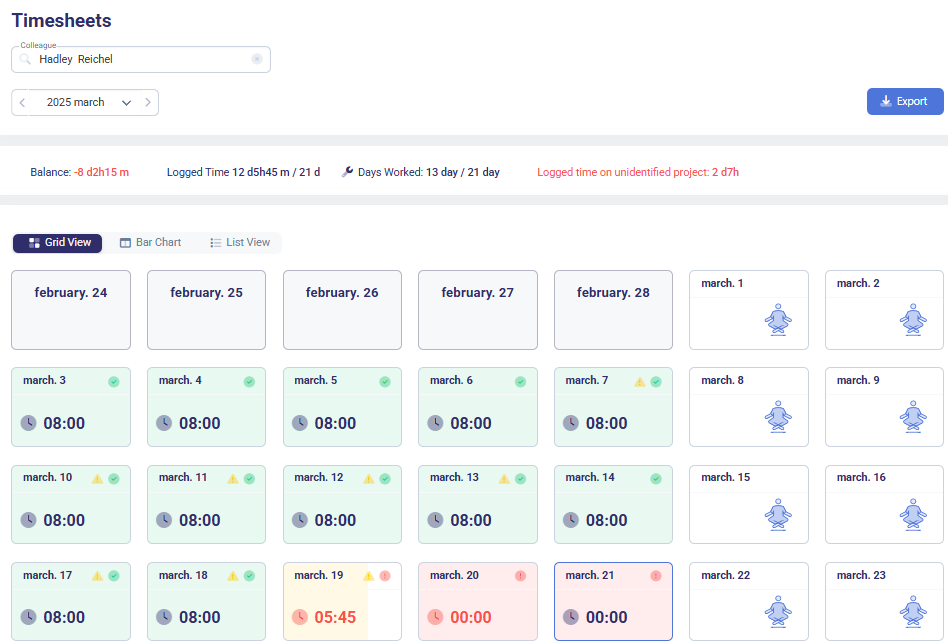
- Displays the total logged work hours for selected employees.
- Provides a monthly calendar view for easy tracking of work hours.
- Allows users to filter by:
- Employee
- Month/Year
- Project assignment
- Shows balance, total logged time, and workdays spent.
- Enables exporting timesheet data in various formats.
-
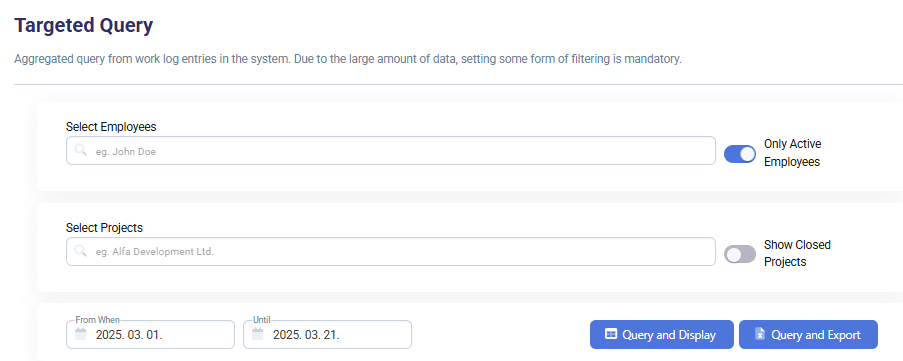
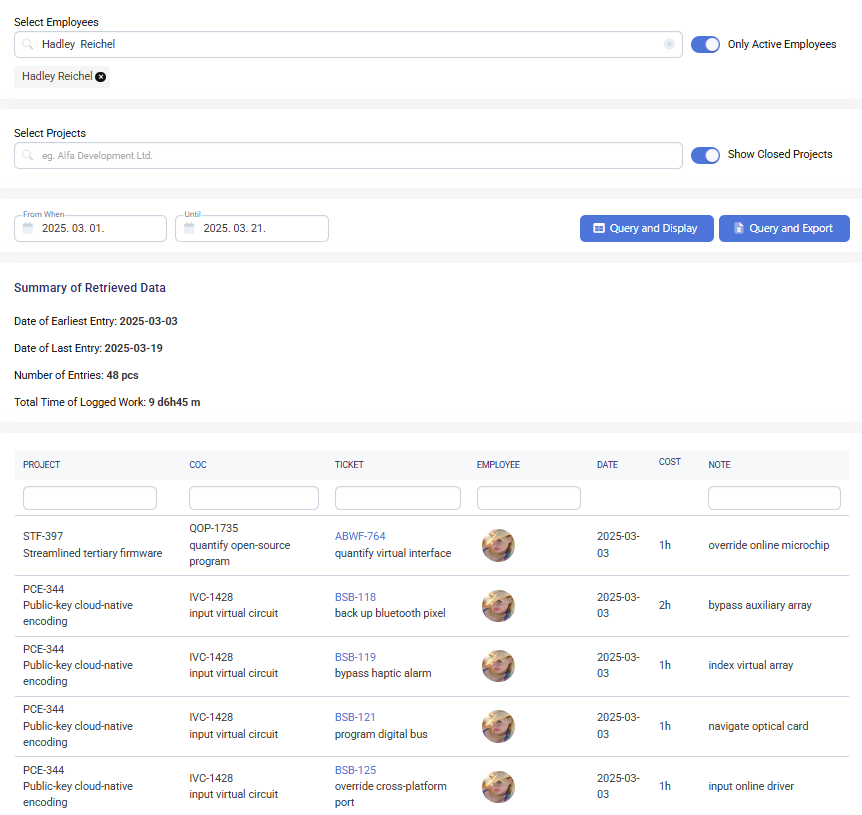
Targeted Query Reports:
- Aggregated query feature to retrieve work log entries for specific employees or projects.
- Offers flexible filtering by:
- Employees (active/inactive selection toggle)
- Projects (open/closed projects toggle)
- Date range
- Provides summary insights, including:
- Earliest and latest log entries
- Total number of entries
- Total logged work time
- Cost of logged work
- Results can be queried and displayed within the interface or exported for further analysis.
How to Use - Generating a Report
-
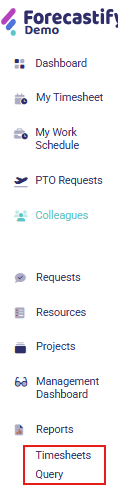
Select Report Type: Navigate to the Reports menu and choose the required report (Timesheets or targeted Query).
-
Apply Filters: Adjust filters such as date range, employee/project selection, or status options to refine the data.
-
Generate Report: Click on the respective action button (e.g., Query and Display for targeted queries or Export for timesheets).

-
Review and Analyze: View the generated report, assess key metrics, and identify insights.
-
Export Data (if needed): Use the export option to download the report in a preferred format for further analysis or documentation.

Typical Use Cases
- HR/Admin: Verify logged work hours against expected time to track employee performance.
- Finance Teams: Analyze invoicing status and financial performance across projects.
- Project Managers: Monitor resource allocation and spot inconsistencies in logged work.
- Compliance Audits: Identify missing or incorrect time logs to ensure data accuracy.