Resources
The Resource Management menu provides an overview of project and workforce utilization, helping managers allocate resources efficiently.
Key Features
-
Two Viewing Modes: Two views are available depending on whether you want to query a project or an employee:

-
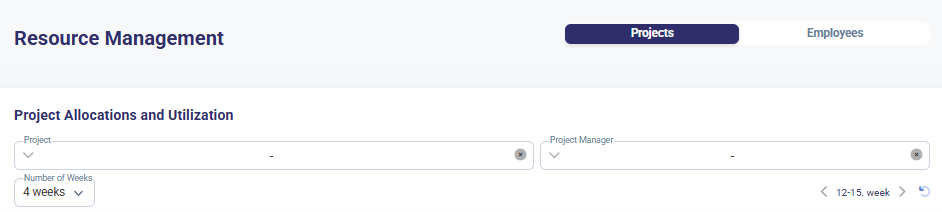
Project View – Displays project allocations, showing assigned employees and workdays per project. Multiple projects can be selected either by project name or by project manager.
-
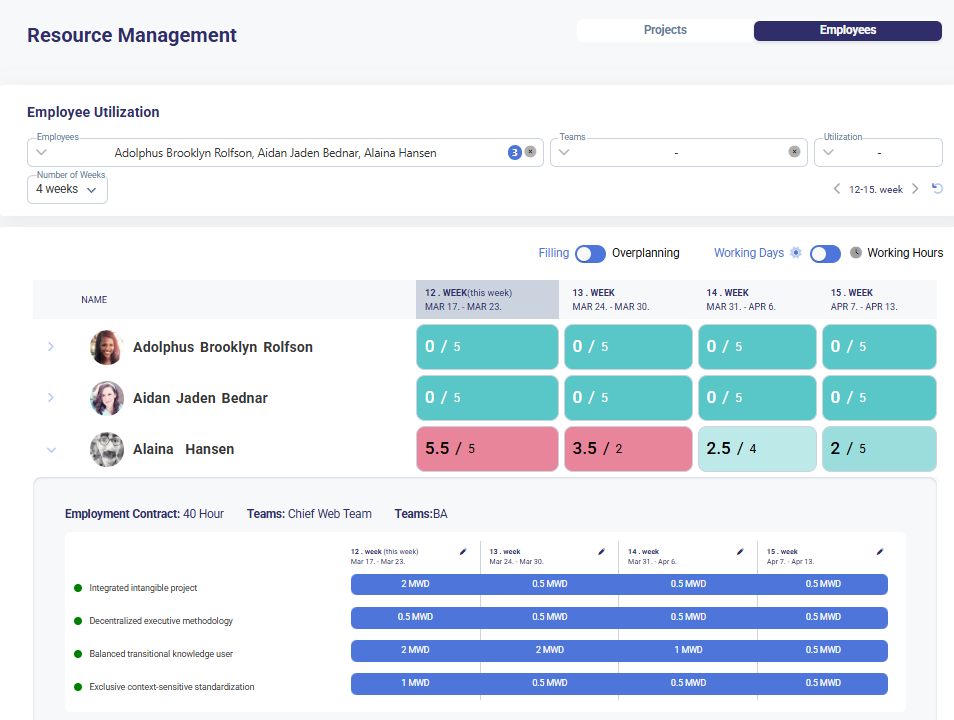
Employee View – Shows employee workload, employment contract details, and team assignments. Multiple employees can be selected either by name or team. The results can be filtered by utilization.
-
Time Measurement Options – Users can switch between workdays and work hours.

-
Filtering & Selection – Allows filtering by project name, manager, employee name, team, and utilization.
-
Utilization Indicators - Highlights filling status, over-planning, and utilization levels.
-
Planning & Tracking - Adjust the displayed timeframe (e.g., 4 weeks) for better forecasting. Toggle between working days and hours for precise scheduling.
How to Use
-
Select View Mode → Choose Projects or Employees at the top of the menu.

-
Apply Filters → Narrow results by project, employee, team, or utilization.

-
Review Workload → Analyze workload distribution and resource allocation.
-
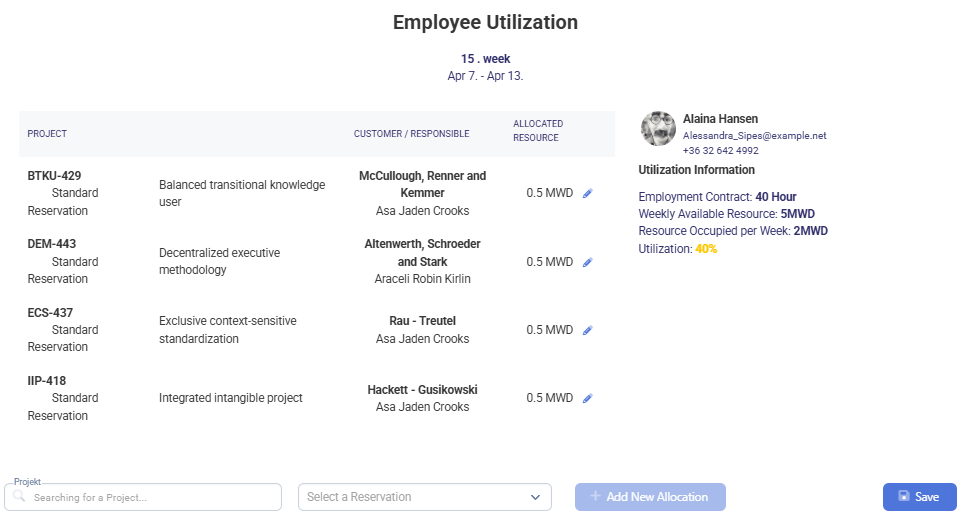
Adjust Resources → Reassign under or over-utilized employees as needed.
-
Track Allocation → Monitor assigned workdays or hours over selected periods.
Typical Use Cases
- Checking employee assignments and their workload on projects.
- Tracking allocated workdays or hours per project.
- Filtering employees by utilization for better workload balance.
- Reviewing contract hours and team assignments for workforce planning.